
Collect input before the IEP meeting.
A teacher feedback request is sent 15 days before the meeting when automation is enabled.
AutoFill helps case managers request teacher feedback, send reminders, and organize responses before IEP progress updates, PLP reports, and report-ready review.
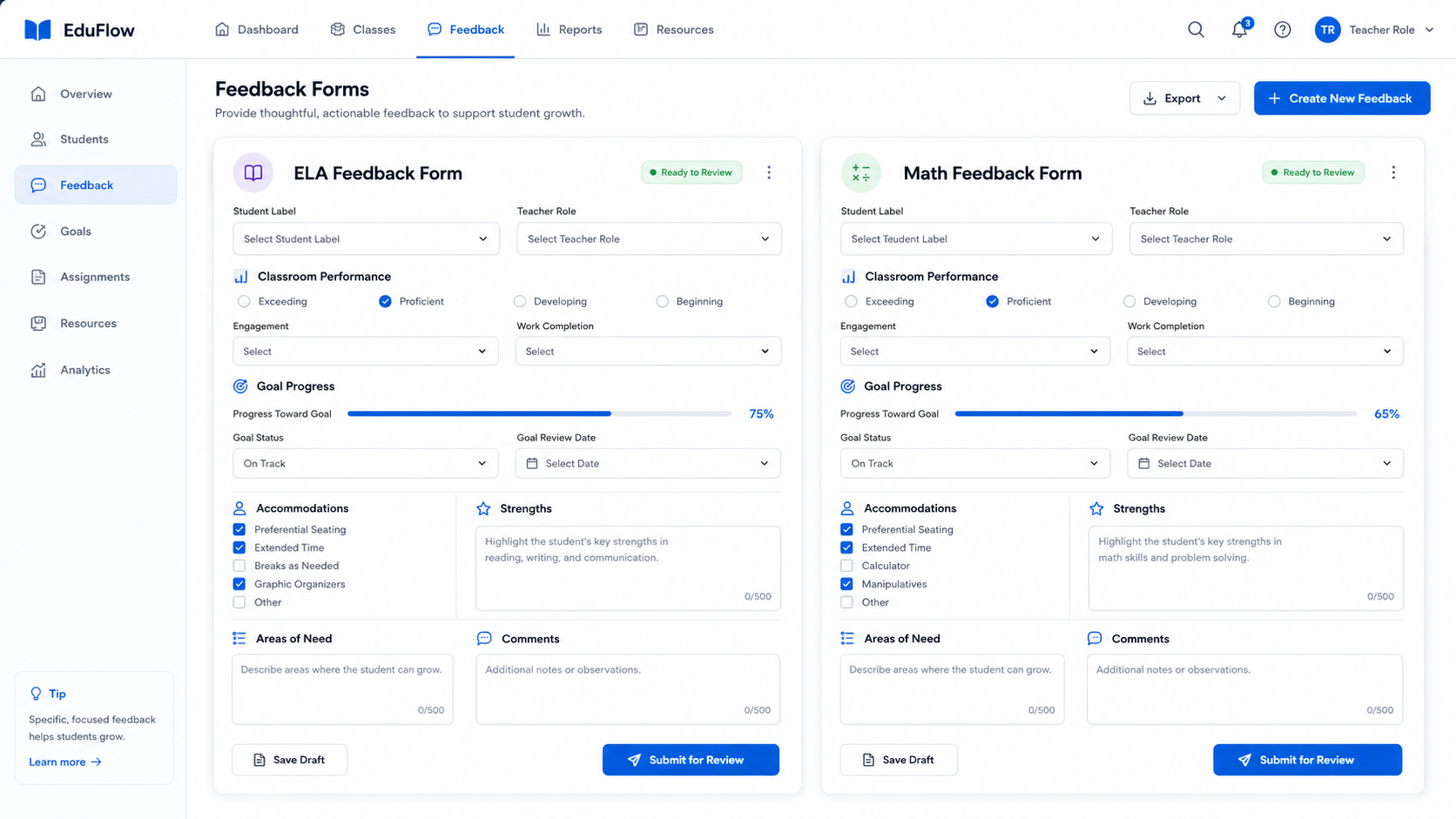
AutoFill helps case managers request feedback, follow up until completed, and review teacher responses before using them in documentation.
A teacher feedback request is sent 15 days before the meeting when automation is enabled.
AutoFill supports reminder timing at 10 days, 5 days, and 1 day before the meeting.
Responses are organized for case manager review before they become part of reports or documentation.
The meeting date creates the preparation timeline for teacher feedback and review.
Attach ELA, Math, or General teachers to the correct safe student identifier.
Teachers receive focused forms for classroom performance, strengths, needs, and comments.
Case managers review teacher responses before using them in PLPs, reports, goals, or notes.
Teacher feedback is often the piece that slows down IEP progress updates. AutoFill gives case managers a structured way to request input, remind teachers, and review responses without rebuilding emails or spreadsheets each time.
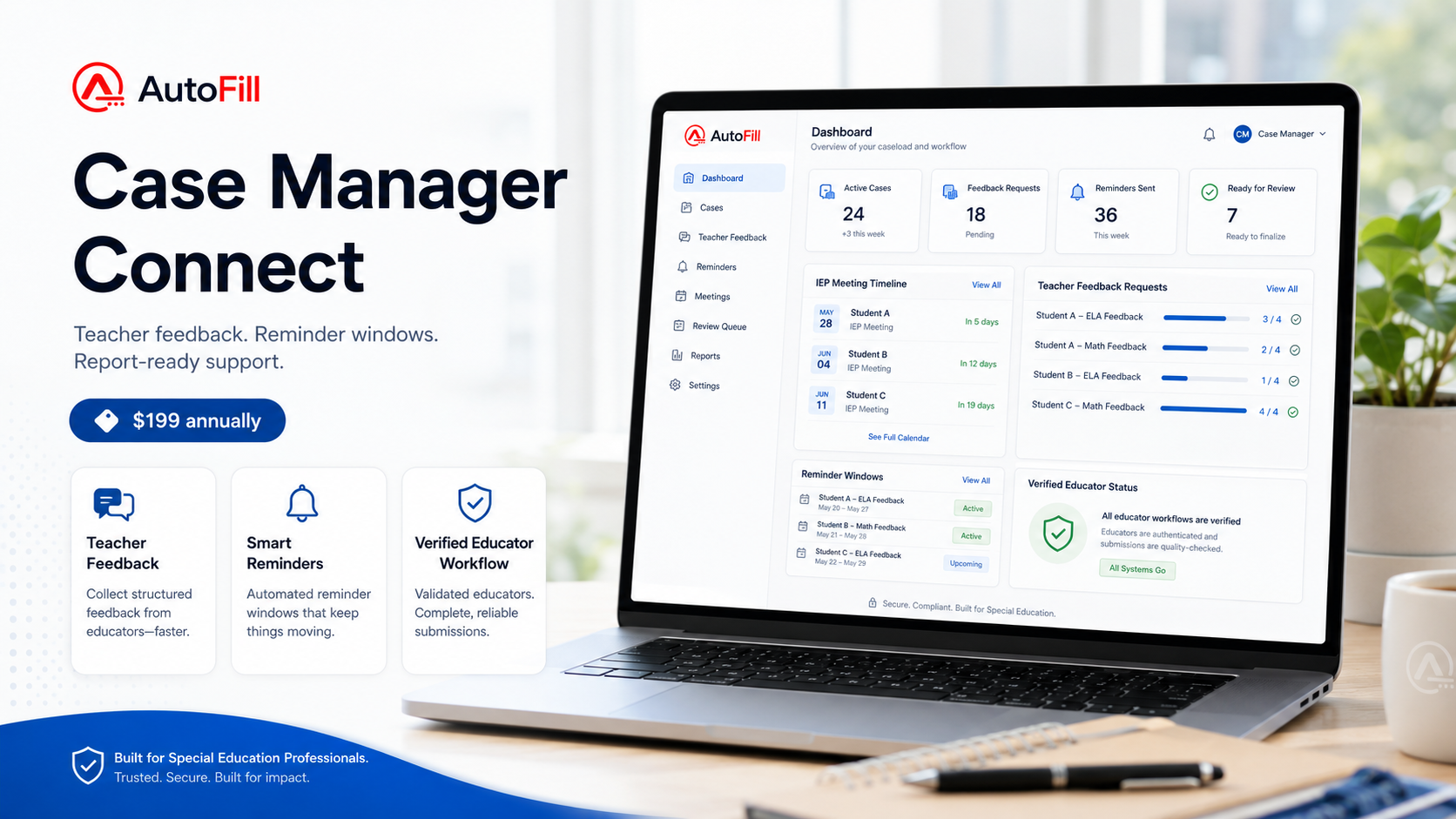
It is a workflow for requesting classroom input, sending follow-up reminders, and organizing responses before IEP progress updates or report writing.
No. AutoFill is a review-first support tool. Users review teacher feedback and generated text before using it in documentation.
Yes. Manual copy-ready drafts stay available when automation is off. Scheduled teacher feedback requests and reminders require Case Manager Automation access.
Start a trial to see how teacher feedback requests, reminders, and response review can fit into your IEP progress workflow.